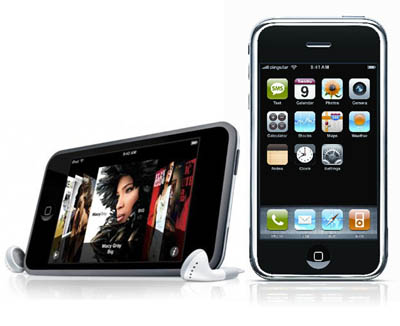
We all know how cool gadgets can take away time when you are bored. Yet today, I present another cool way to have fun with webcams and Iphone/Ipod touch. This is more fun in Ipod Touch since it doesnt have a camera and Iphone already has a camera and other camera apps in app store  .
.
First off, tools and softwares required:
To sta rt off, install a app called JumiCam Lite .This app allows you to view your webcam live from your wireless network. Then you can download the client version for the software and install in the computer where your webcam is connected to. You can also visit Jumitech.com for more information on setup of your device.

Next, download a software called CamSplitter 3.0 . It allows you to stream your webcam into two different softwares/programs without blocking the webcam. Install the program on your computer and then run it, but make sure you are not running JumiCam.
 Now, download ManyCam 2.4 and install it on your computer. This will allow you to webcast your webcam in various designs and fun ways.
Now is the most important part. You are going to setup the devices to work together to create a fun time.
Now you can see the images on your Ipod and your Computer and from ManyCam, you can change backgrounds or add effects on your face brag among your friends with it. You can also play a video on the computer and then watch the video on ipod but sound cannot be transmitted.:(.. So have fun with this software. Feel free to leave a comment if you dont understand any of the steps..
.First off, tools and softwares required:
- Wireless internet [a must]
- Ipod Touch/ Iphone
- A regular webcam
- Jumi App on Ipod Touch/Iphone
- Cam Splitter 3.0 [Freeware]
- ManyCam 2.4 [Freeware]
To sta
rt off, install a app called JumiCam Lite .This app allows you to view your webcam live from your wireless network. Then you can download the client version for the software and install in the computer where your webcam is connected to. You can also visit Jumitech.com for more information on setup of your device.Next, download a software called CamSplitter 3.0 . It allows you to stream your webcam into two different softwares/programs without blocking the webcam. Install the program on your computer and then run it, but make sure you are not running JumiCam.
Now, download ManyCam 2.4 and install it on your computer. This will allow you to webcast your webcam in various designs and fun ways.Now is the most important part. You are going to setup the devices to work together to create a fun time.
- First start CamSplitter and select your device.
- Then start JumiCam and make sure you are seeing webcast on your Ipod.
- Then start ManyCams and then go to Sources Tab. Then Click on CamSplitter.
Now you can see the images on your Ipod and your Computer and from ManyCam, you can change backgrounds or add effects on your face brag among your friends with it. You can also play a video on the computer and then watch the video on ipod but sound cannot be transmitted.:(.. So have fun with this software. Feel free to leave a comment if you dont understand any of the steps..


 Posts
Posts