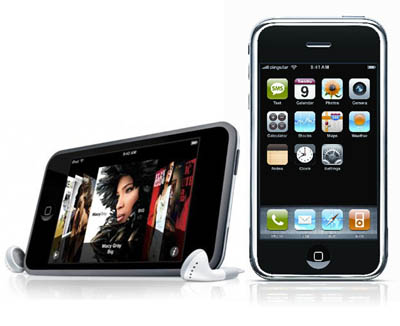
BEFORE WE START: THESE APPS WORK ON BOTH IPHONE AND IPOD-TOUCH AND DOESNT HAVE TO BE JAILBROKEN.
Iphone is full of endless possibilities, you just need the correct resources to make use of them. Using some of the 3rd party apps available on ITunes, you can have total control of a PC(when the user is logged in) and today, I am going to talk about two apps from Itunes.
What do download?
 ITap is a app that turns your IPhone into a wireless keyboard/mouse for your PC or MAC. You can download the paid Iphone app here for $3.99 or the free lite version here
Remainder: lite version includes only volume control and none of the mouspad/keyboard. Even with the paid version, you cannot see the computer screen on iPhone.
How to setup?
After you download the apps on iphone, download the server client on your PC. Run and complete the installer, which will give you "iTap Receiver" program on your desktop or your Start Menu. To pair your computer with iPhone,open the app on iPhone and start the program on your computer. You should see your iPhone's name under "Devices running compatible version." Select your device and click on "Pair on Selected Device" If done successfully, you can use iPhone Screen as your Mouse Pad and also as a keyboard. Cool eh??
 Mocha VNC:Another app from iTunes store which gives you absolute control of a PC is Mocha VNC which provides access to a VNC Server. Using your iPhone, you can connect to a Windows PC or Mac OS X and see the files, programs, and resources exactly as you would if you were sitting at your desk, just on a smaller screen.
What do download?
You can download the paid app for iPhone here for $5.99 or the free Mocha VNC lite here.
After downloading your selection of app into iPhone, download the VNC client server executable file into your computer. I downloaded the Enterprise Version from ThePirateBay. Click here fore more info on torrents download.
How to setup?
Just before you are done with the installation of VNC client, you will get "VNC Server Properties" Dialogue box. Make sure you configure your password in the first page and then click OK on the dialogue box and finish the installation. After you are done with your installation, search for "VNC Server (User Mode)" on your computer and open it. It will display a new icon on your taskbar. Right click on it and select "Status". Click on "Test" where it says "Details and Address". The first time you click start, it will say connection failed because you haven't port forwarded your router. Click here for more info on port forwarding.
For this software to run properly, you need to port forward your router into 5900 for Starting Port and 5900 in Ending Port. After port forwarding the router, click on Test>Start again and it should say "Connection Test Successful" and it will give you a IP-address which looks like (24.176.42.534)on which you need to connect. Dont close the dialogue box yet because you will use that ip-address on Mocha VNC that you downloaded on iPhone.
Open Mocha VNC on iphone and go to Menu>Edit Connections and select a row. Now put down the ip-address that you got earlier from testing the server. Put down 5900 on VNC Server Port and your password should be the one that you configured when you installed the software for the first. Give it a name just for yourself and then hit "Connect" on upper right side. It should say connecting to "[your ip address] and then VNC Negotiation and you will have your computer screen on your iphone. Now you can control the computer since you have the screen, type around or control volume using ITap.
Leave a comment if you have any problems while doing the setup.
Iphone is full of endless possibilities, you just need the correct resources to make use of them. Using some of the 3rd party apps available on ITunes, you can have total control of a PC(when the user is logged in) and today, I am going to talk about two apps from Itunes.
What do download?
ITap is a app that turns your IPhone into a wireless keyboard/mouse for your PC or MAC. You can download the paid Iphone app here for $3.99 or the free lite version hereRemainder: lite version includes only volume control and none of the mouspad/keyboard. Even with the paid version, you cannot see the computer screen on iPhone.
How to setup?
After you download the apps on iphone, download the server client on your PC. Run and complete the installer, which will give you "iTap Receiver" program on your desktop or your Start Menu. To pair your computer with iPhone,open the app on iPhone and start the program on your computer. You should see your iPhone's name under "Devices running compatible version." Select your device and click on "Pair on Selected Device" If done successfully, you can use iPhone Screen as your Mouse Pad and also as a keyboard. Cool eh??
Mocha VNC:Another app from iTunes store which gives you absolute control of a PC is Mocha VNC which provides access to a VNC Server. Using your iPhone, you can connect to a Windows PC or Mac OS X and see the files, programs, and resources exactly as you would if you were sitting at your desk, just on a smaller screen.What do download?
You can download the paid app for iPhone here for $5.99 or the free Mocha VNC lite here.
After downloading your selection of app into iPhone, download the VNC client server executable file into your computer. I downloaded the Enterprise Version from ThePirateBay. Click here fore more info on torrents download.
How to setup?
Just before you are done with the installation of VNC client, you will get "VNC Server Properties" Dialogue box. Make sure you configure your password in the first page and then click OK on the dialogue box and finish the installation. After you are done with your installation, search for "VNC Server (User Mode)" on your computer and open it. It will display a new icon on your taskbar. Right click on it and select "Status". Click on "Test" where it says "Details and Address". The first time you click start, it will say connection failed because you haven't port forwarded your router. Click here for more info on port forwarding.
For this software to run properly, you need to port forward your router into 5900 for Starting Port and 5900 in Ending Port. After port forwarding the router, click on Test>Start again and it should say "Connection Test Successful" and it will give you a IP-address which looks like (24.176.42.534)on which you need to connect. Dont close the dialogue box yet because you will use that ip-address on Mocha VNC that you downloaded on iPhone.
Open Mocha VNC on iphone and go to Menu>Edit Connections and select a row. Now put down the ip-address that you got earlier from testing the server. Put down 5900 on VNC Server Port and your password should be the one that you configured when you installed the software for the first. Give it a name just for yourself and then hit "Connect" on upper right side. It should say connecting to "[your ip address] and then VNC Negotiation and you will have your computer screen on your iphone. Now you can control the computer since you have the screen, type around or control volume using ITap.
Leave a comment if you have any problems while doing the setup.


 Posts
Posts